 jotqo
You set the guardrails, and you see everything it does.
Jotqo does routine work on its own, so it has to be safe to leave alone. Here is how it is designed: what it may do, what you can see, what happens when something fails, and how your data is kept.
It can only do what you allow.
Each Jotqo solution comes with rules that fit its job. You adjust them: what it may do, where a person must approve, and how much it may spend.
Only allowed actions
It uses only the actions and tools you allow for its job. Everything else is off.
Approval where you choose
A person signs off only where you ask, for example before money moves.
Spending limits
You set how much it may spend, and see the cost of every job.
You see everything it does.
Every job keeps a record your team can open at any time: each step, what it used, who decided and what it cost.
09:12
09:13
What it used
The files and records behind each step.
09:14
What it did
Each action, in order, with the time.
10:00
16:05
Who decided
Jotqo, or the person who approved, by name.
What it cost
The cost of each job, against your limit.
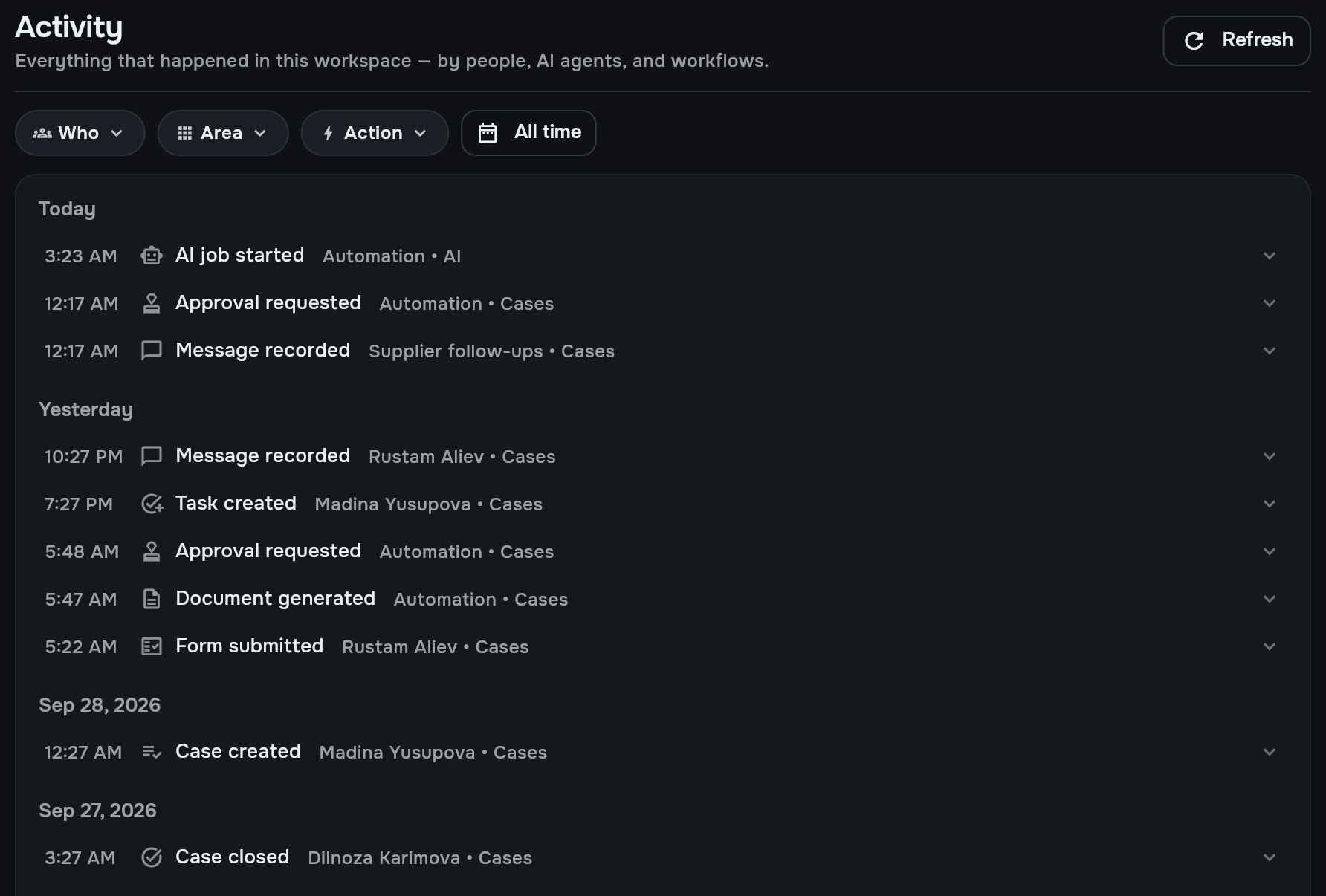
And across your whole workspace
One list shows everything that happened, whoever did it.
- 1People, AI and workflows appear in the same list.
- 2Filter by who, area, action or date.
- 3Open any line to see the details.
 1
2
3
If something fails, it carries on where it stopped.
Services go down and messages fail to send. When that happens, the job keeps its place. Steps already done stay done, and no step is done twice.
- Read the request18 people, 12–16 MayKept
- Held 9 hotel roomsHeld once, not againKept
- Sent the quoteEmail service not answeringSent on the second tryRetried once
- Reminded the clientTwo days later
- Booking confirmedDeposit received
Done steps stay done
What finished before the failure is kept as it was.
It retries the failed step
It waits, then tries again from that step, not from the start.
Nothing happens twice
No second booking, and no second message to the client.
Your workspace stays yours.
Everything Jotqo works with lives in your business’s own workspace: your clients, files, records and job history.
A workspace for each business
Each business has its own workspace, kept apart from every other.
Roles for your team
Each person’s role decides what they can see and do.
Protected connections
The logins and keys that connect your tools are stored protected.
Deletion
Data you no longer want kept can be deleted.
This is how Jotqo is designed. It is not a certification or a legal guarantee. If you have security or data requirements, tell us and we will answer them directly.
Ask usWhat job would you hand to Jotqo?
Tell us in a sentence. We’ll reply by email and tell you honestly whether Jotqo can do it today, whether we can set it up with you, or when your industry’s solution is coming.
Or write to us directly: help@jotqo.com